
Profile Management for Edurs
Last updated 25 October 2024 Read time 2 min
- Contents
- Overview
- What Makes a Good Profile Photo?
- How Do I Write a Compelling Description That Stands Out?
- Service Management
Overview
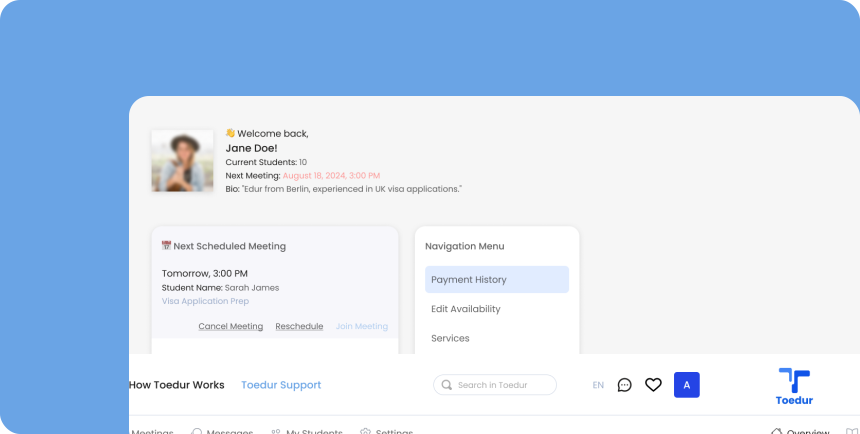
Creating a strong profile on Toedur helps you stand out to prospective students and showcases your unique skills and experience as an Edur. Here’s how to make a lasting impression:
What Makes a Good Profile Photo?
Your profile photo is one of the first things students see, so make it count! Here are some tips:
- Use a High-Quality Image: Choose a clear, well-lit image that reflects professionalism.
- Focus on Face and Expression: A friendly, welcoming expression can help students feel more comfortable connecting with you.
- Avoid Distracting Backgrounds: Keep the focus on you by using a clean, neutral background.
How Do I Write a Compelling Description That Stands Out?
Your description is your chance to convey your expertise and what students can expect from working with you:
- Create New Services: Define specific services that align with your expertise, such as consultation sessions, document review, or interview preparation.
- Edit or Update Services: Adjust service descriptions, pricing, or availability as your offerings evolve or based on student feedback.
- Organize and Prioritize Services: Arrange your services to highlight the ones most in demand or relevant to students' needs.
- Track Service Engagement: Monitor which services are most popular, helping you optimize your offerings to better meet student demand.
Service Management
In the Service Management section, you can easily manage and customize the services you offer to prospective students. This feature allows you to:
- Create New Services: Define specific services that align with your expertise, such as consultation sessions, document review, or interview preparation.
- Edit or Update Services: Adjust service descriptions, pricing, or availability as your offerings evolve or based on student feedback.
- Organize and Prioritize Services: Arrange your services to highlight the ones most in demand or relevant to students' needs.
- Track Service Engagement: Monitor which services are most popular, helping you optimize your offerings to better meet student demand.
Give us feedback
Was this article useful?
Next Article

Edur’ Account
Learn about Edur’ Account
Last updated 10 October 2024Read time : 2 min